Private by default
Your photos are not posted or shown in a public gallery.
 hatif.fit
Free AI weight-loss visualizer
Upload one photo and preview a realistic three-shot simulation: current you, around 7 kg lighter, and around 15 kg lighter. Built for motivation, not pressure.
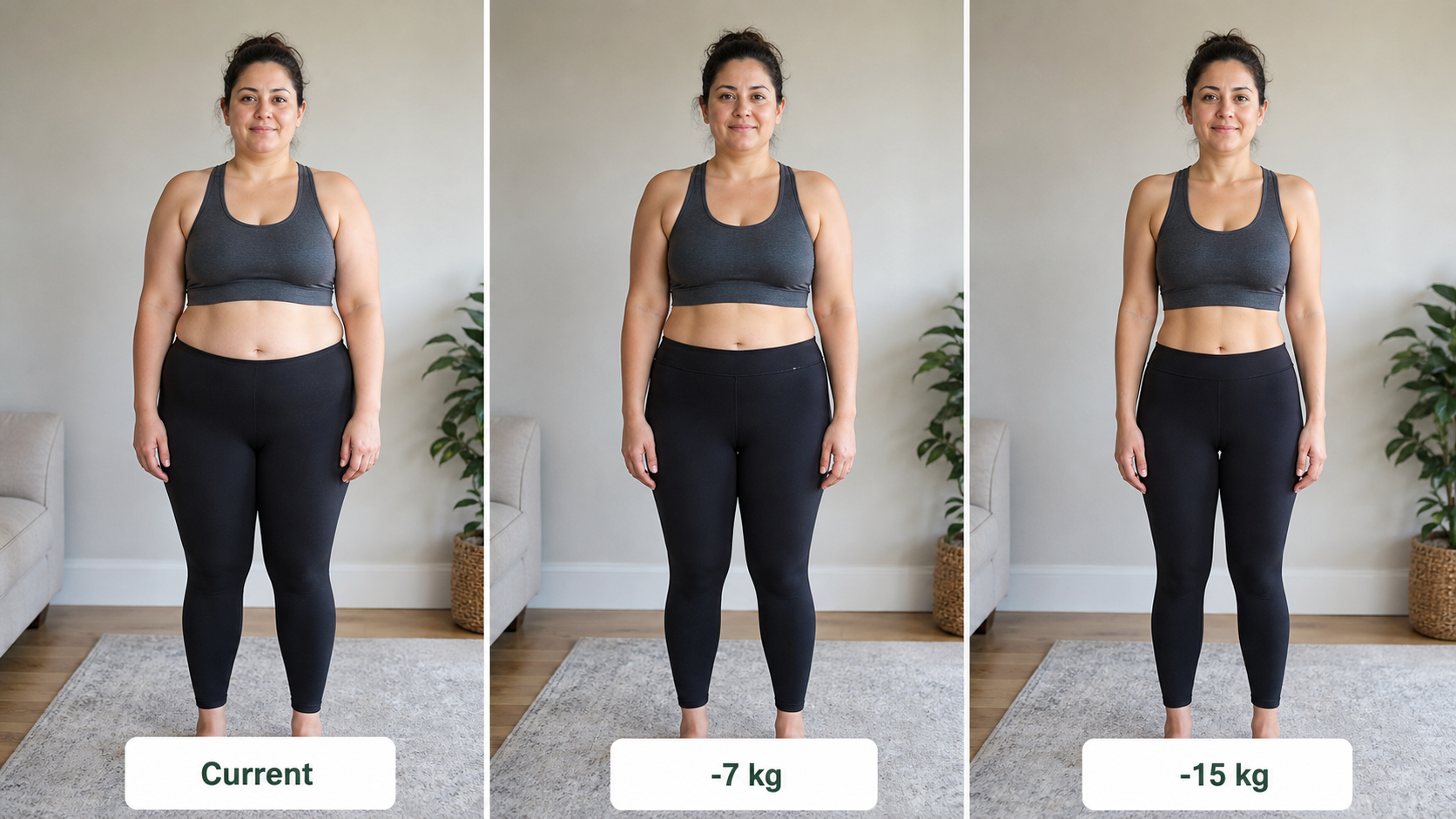
Start with one photo and preview the simple three-frame output users expect from whatif.fit.
Add your body data and start the preview to see BMI, estimated body fat, and guidance here.
Add weight and height to see a simple health snapshot with your preview.
This is an educational estimate, not medical advice. For health conditions, medications, pregnancy, or a low BMI, speak with a qualified professional.
Your photos are not posted or shown in a public gallery.
Designed around one simple task: visualizing your what-if photo.
No sign-up wall on this first preview experience.
The product is designed around temporary photo processing.
Different photo types can still become the same simple output: current, -7 kg, and -15 kg in one comparison.
Choose a clear front-facing image with your torso visible.
The tool keeps your pose and identity while simulating two lighter versions.
Compare current, -7 kg, and -15 kg in one easy three-frame view.
The experience is designed to reduce friction and make the visual goal feel personal, simple, and easy to revisit.
See current, -7 kg, and -15 kg together instead of guessing what progress might look like.
The result is designed around your uploaded image, pose, and face rather than a generic body chart.
Use the preview as a visual reminder for habits, workouts, nutrition, and consistency.
The first experience should feel fast and easy: upload, preview, compare.
AI weight loss simulator
whatif.fit is a free AI weight-loss visualizer for people who want to see a possible before-and-after photo before starting a new routine. Upload one everyday photo and compare your current image with two healthier-looking target previews.
Use whatif.fit as a free AI weight-loss visualizer when you want a quick motivation image instead of a generic body chart.
The AI can adjust visible face fullness, neckline, waist, and body shape when the uploaded photo supports it.
The preview is educational and visual. It can support habit-building, but it should not replace professional health guidance.
A few simple choices make the three-frame preview feel more believable and easier to compare.
Avoid oversized layers so body shape is easier to read.
Clean lighting makes the preview feel more realistic.
Stand straight with your torso and face visible.
Upload one photo and compare three versions of yourself.
A realistic preview is useful when expectations are clear from the start.
Use a clear, front-facing photo with good lighting and your full torso visible. Avoid heavy filters, extreme angles, and baggy clothing.
No. It is a visual simulation for motivation and curiosity. Real results depend on your body, habits, health, and timeline.
No AI preview can guarantee that. The goal is to make a possible transformation easier to imagine, not to promise a precise outcome.
The examples show both body-focused and face-aware previews, including subtler cheeks, neckline, and jawline changes when the photo supports it.